Not a chatbot. An agent.
A personal AI system that thinks, remembers, schedules, and acts — backed by Claude, extended with local models, and built entirely around one person's actual work.
Why it exists
Jayson is building an AI-powered empire — Flexible, adaptive, robust. A creators utopia. It started with a small online booking system. Then it turned into a fully featured photography critiquing website built on php and MariaSQL. He started building helper apps for electronics circuit design, tools, game helpers, professional landing pages. From there it turned into a full stack web development company branded under his own name. If you're going to develop professional websites for business and commerce, you might as well build a proper booking Saas next.
From here he saw the need for more control. He installed OpenClaw. Quickly captivated, but also hugely turned off by the API limits set out by anthropic recently on agents, he needed a new angle. He built his own openclaw. Specificly to work around Anthropics forced API usage on agents and blocking of CLI use. it started as a thin wrapper around Claude CLI.Soon it became a pipe to paralell proceses and invoke more agents. To improve efficiency and build more complexity, faster. This is where Sterling Agent realy took stride.
Testing and development of an agent, and a desire to try and automate a complex project, lead Jayson to build an Avatar scripted AI News Channel on YouTube. This obviously needed a website to complement. The news platform is comprised of a daily published long format YouTube video, a targeted short video, and web based news article — each hosted by a fully AI-generated avatar. Every video starts as a topic scrape for direction and then raw information. It ends as a polished production package ready for publish. He learnt how to setup and manage MCP and API connections. He dove into image video and audio genereation. He took many side quests on. Automating along the way. There are still some very manual components; there are also a host of fully automated components. Every day it shifts more towards autopiliot. An evolving pipeline. That pipeline needs an operator.
Off-the-shelf tools weren't it. Generic chat interfaces forget everything the moment you close them. Cloud assistants don't have access to local files, production workflows, or project context. What was needed was something that could think across sessions, delegate to specialized models, run tasks on a schedule, and keep an entire operation moving — without constant hand-holding.
So Sterling Agent got built. It started as a thin wrapper around Claude CLI and grew from there. Every feature added because it was actually needed. Every decision made in service of real work. It runs locally on a single machine, talks to the browser over WebSocket, and maintains persistent memory across every conversation.
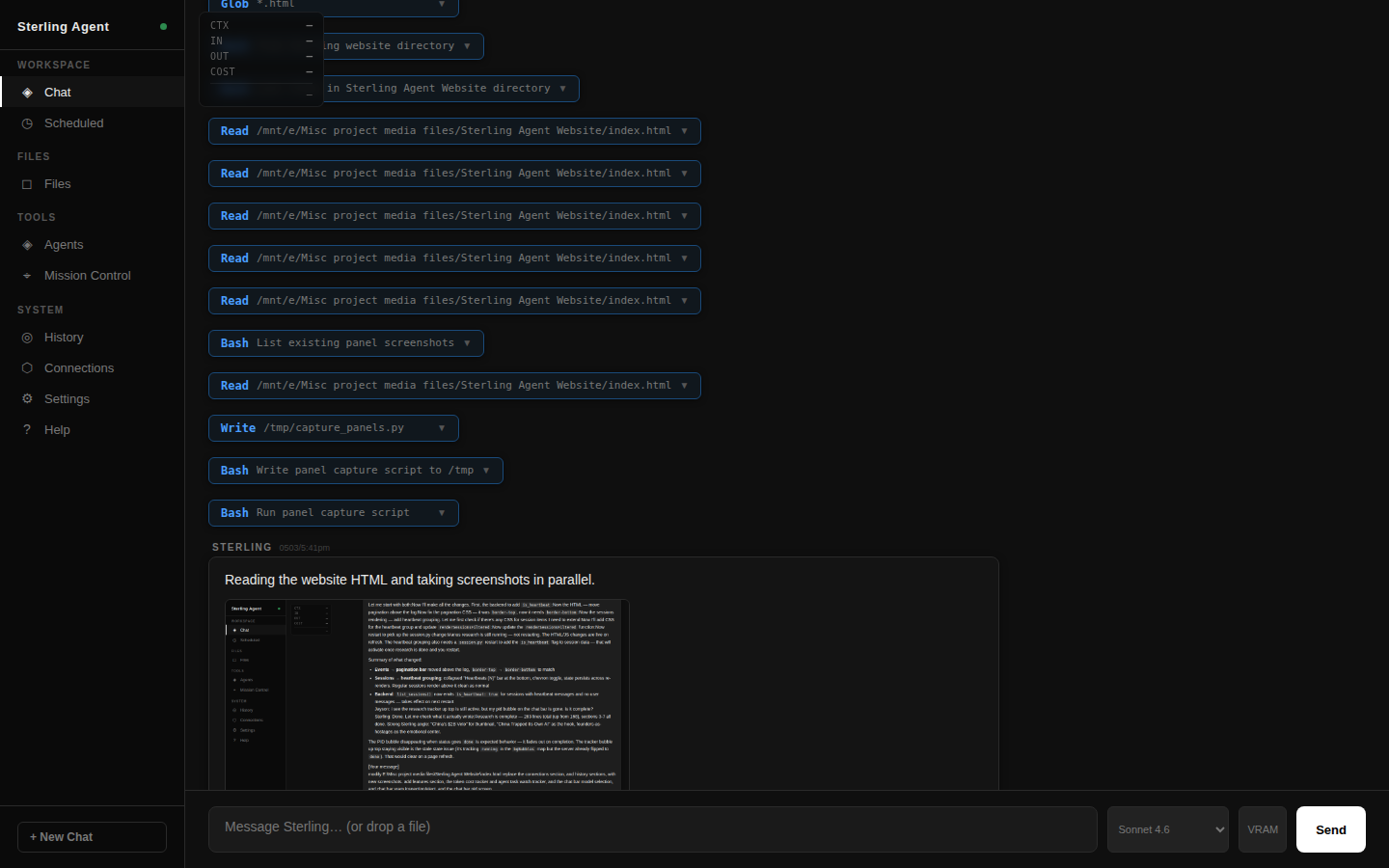
The interface
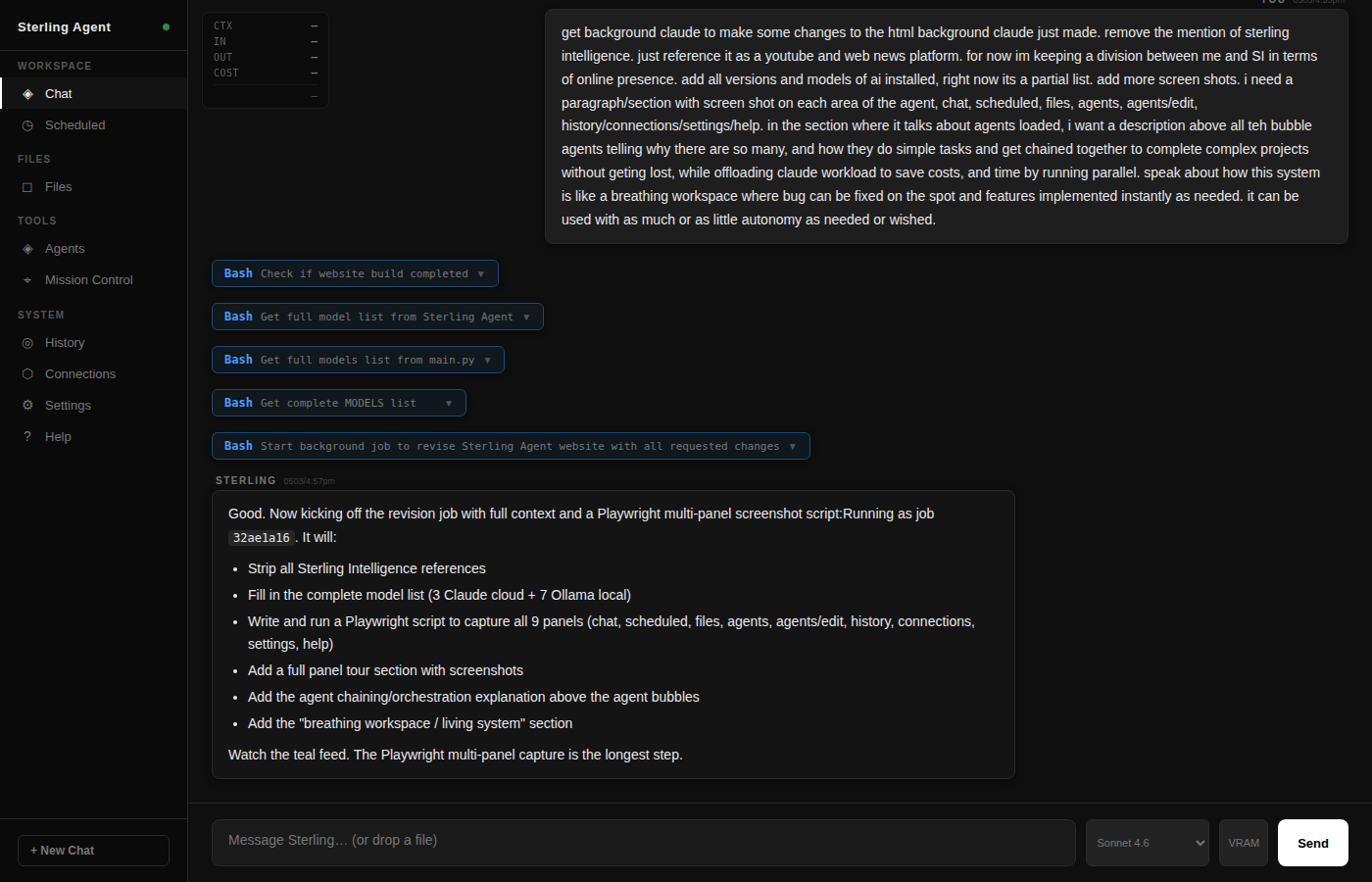
Dark theme, real-time streaming chat, collapsible tool call blocks, sidebar panels for agents, history, scheduling, and files. No mockup — this is what runs.
Sterling Agent · localhost:8765 · Claude-backed · WebSocket-streamed · fully local
UI panels
Every panel in the sidebar is a live tool. Not a settings menu — an active workspace. Here's what each one does.
Real-time streaming responses with full tool call visibility. Every tool Sterling calls — web searches, file reads, agent invocations — expands inline as a collapsible block so nothing is hidden. The model switcher in the input bar toggles between any cloud or local model mid-conversation. A message queue lets you send the next prompt before the current response finishes. Cancel and resume at any point without losing the session.
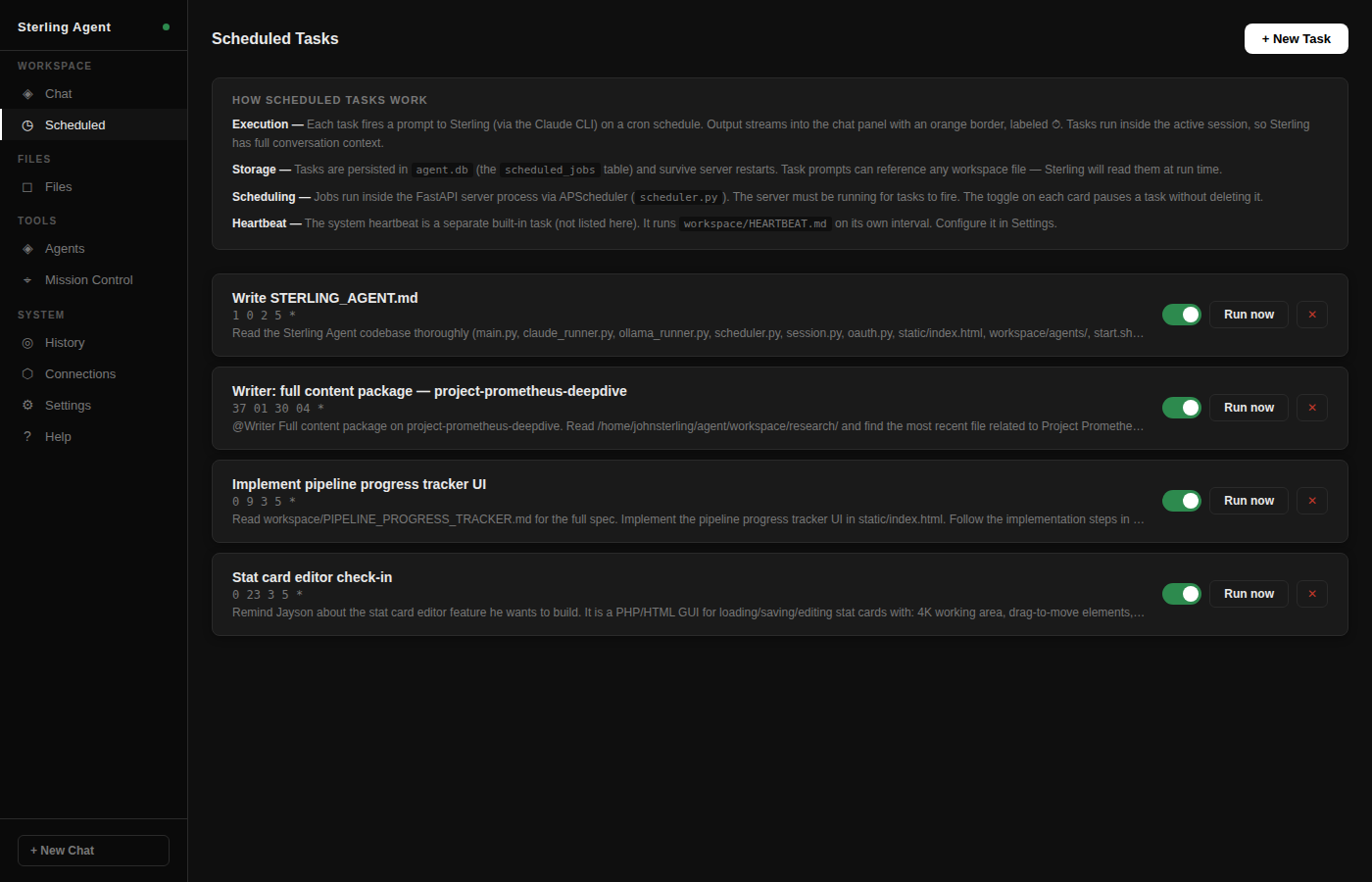
Jobs defined here fire prompts directly into Claude on a cron schedule — and they persist across server restarts. The heartbeat fires every 10 minutes in its own isolated session, reviewing memory, checking project state, and surfacing reminders. Custom jobs can trigger any pipeline, reminder, or automated task. Scheduled work streams its output into the chat feed live, so nothing runs blind.
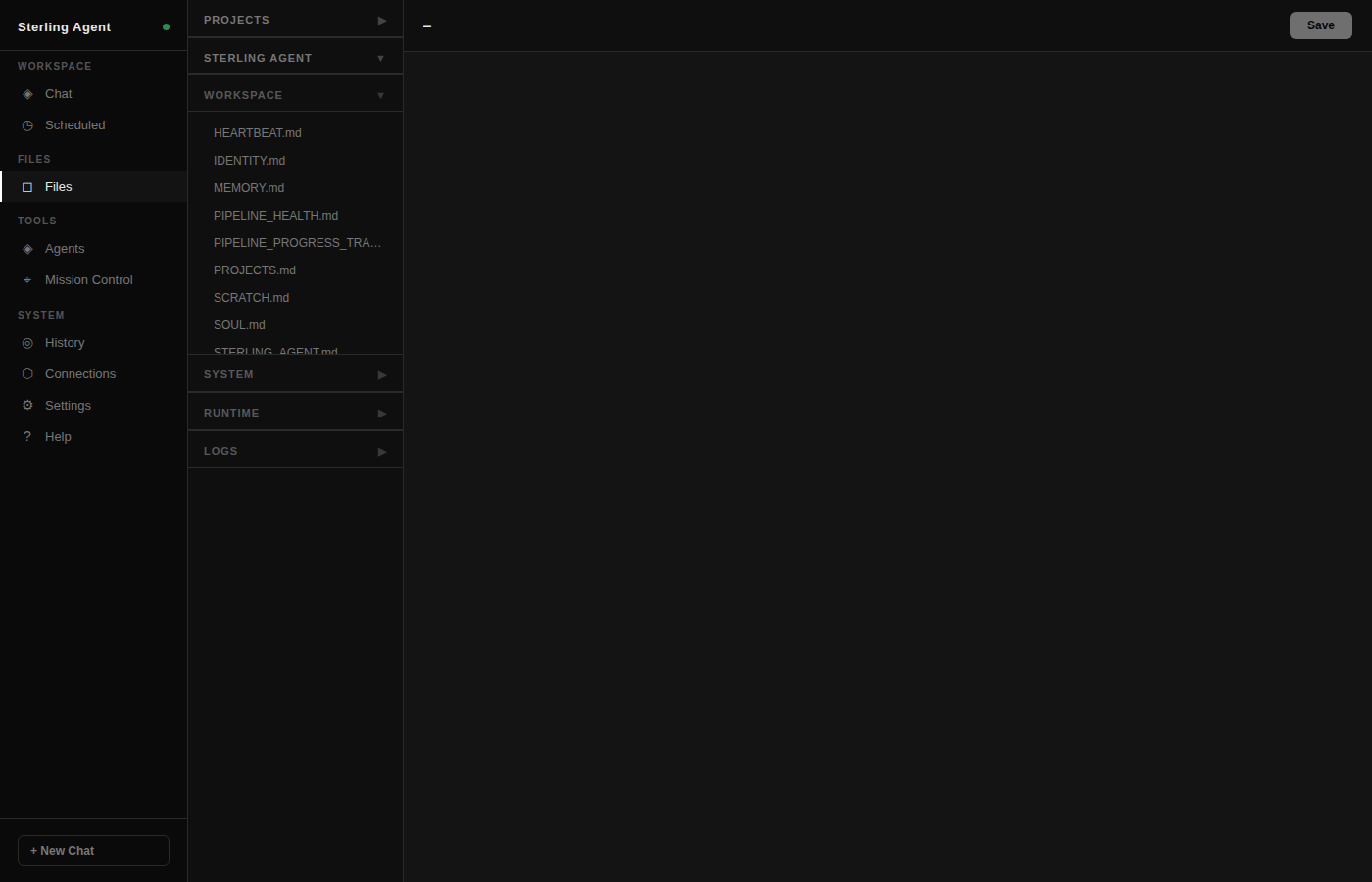
Every agent definition, memory file, config, and workspace document is editable directly in the browser. Changes take effect immediately — no file manager, no terminal, no restart. The panel is organized into collapsible sections: Workspace files open by default; System, Runtime logs, and session logs collapse for a cleaner view. Click any file to open an inline editor. Save and it's live.
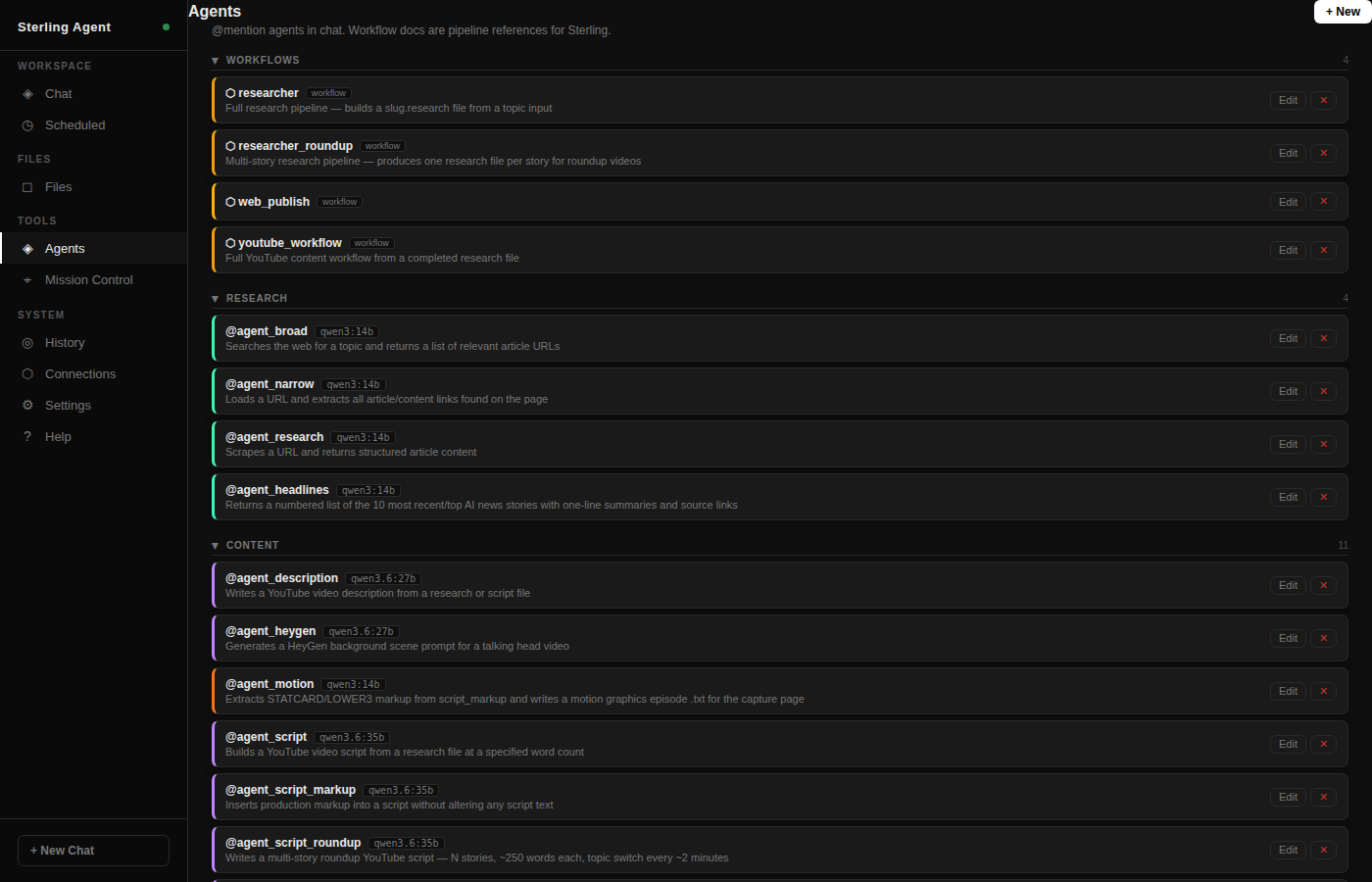
Every loaded agent shown as a card with its name, model, category, and color. Agents are organized by pipeline role — Workflows, Research, Content, Utility. @mention any agent in chat to route that message directly to it, or let Sterling invoke them programmatically during pipeline work. Tab autocomplete makes @mentions fast — type @ and the list filters in real time.
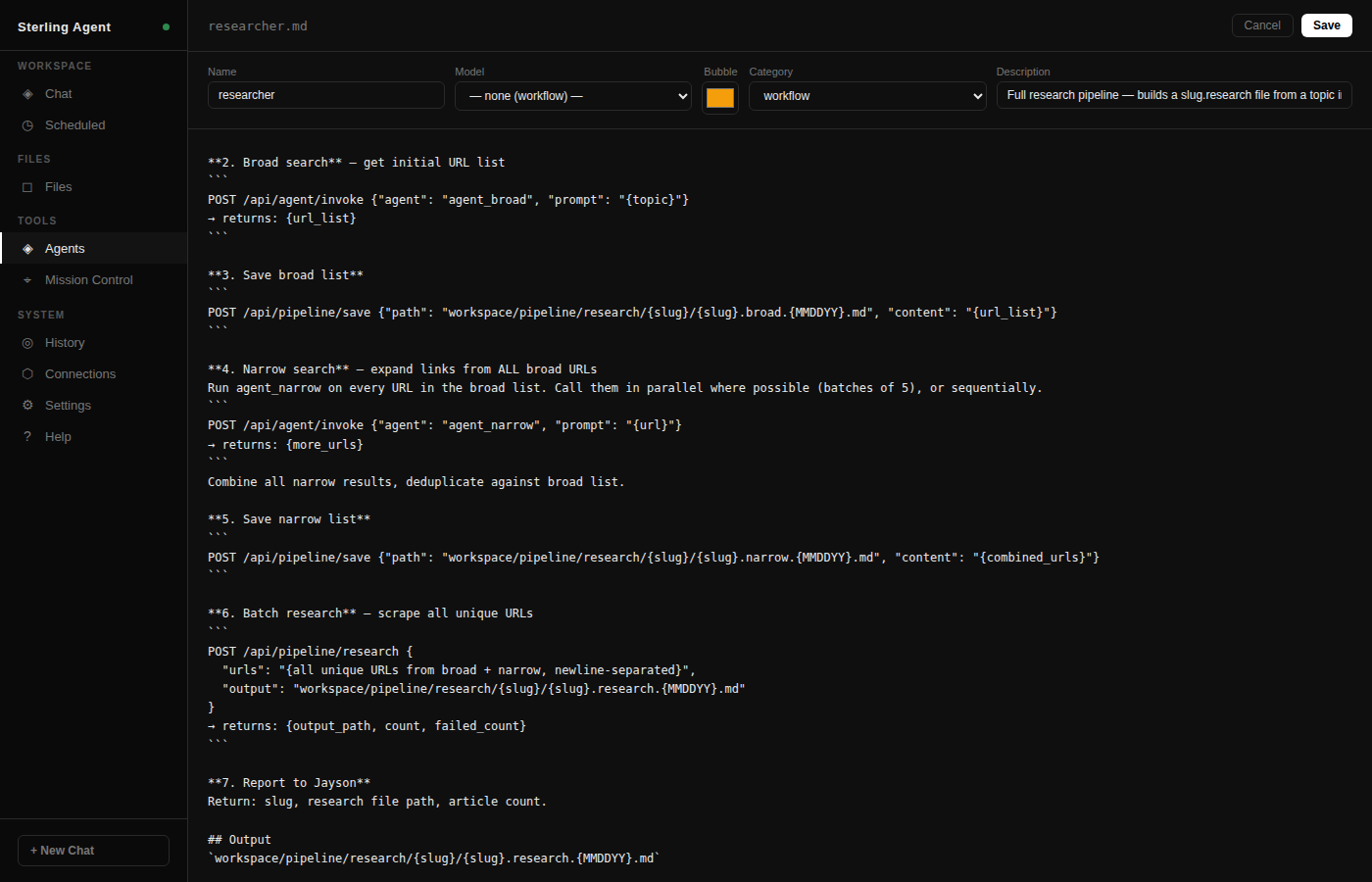
Click Edit on any agent to open the full-pane editor. Name, model, color, and category sit in a compact header row. The system prompt textarea fills the remaining space — no resize handle, no modal — just a direct edit surface. Changes save to the agent's .md file on disk and take effect immediately on the next invocation. New agents can be created and deleted here too.
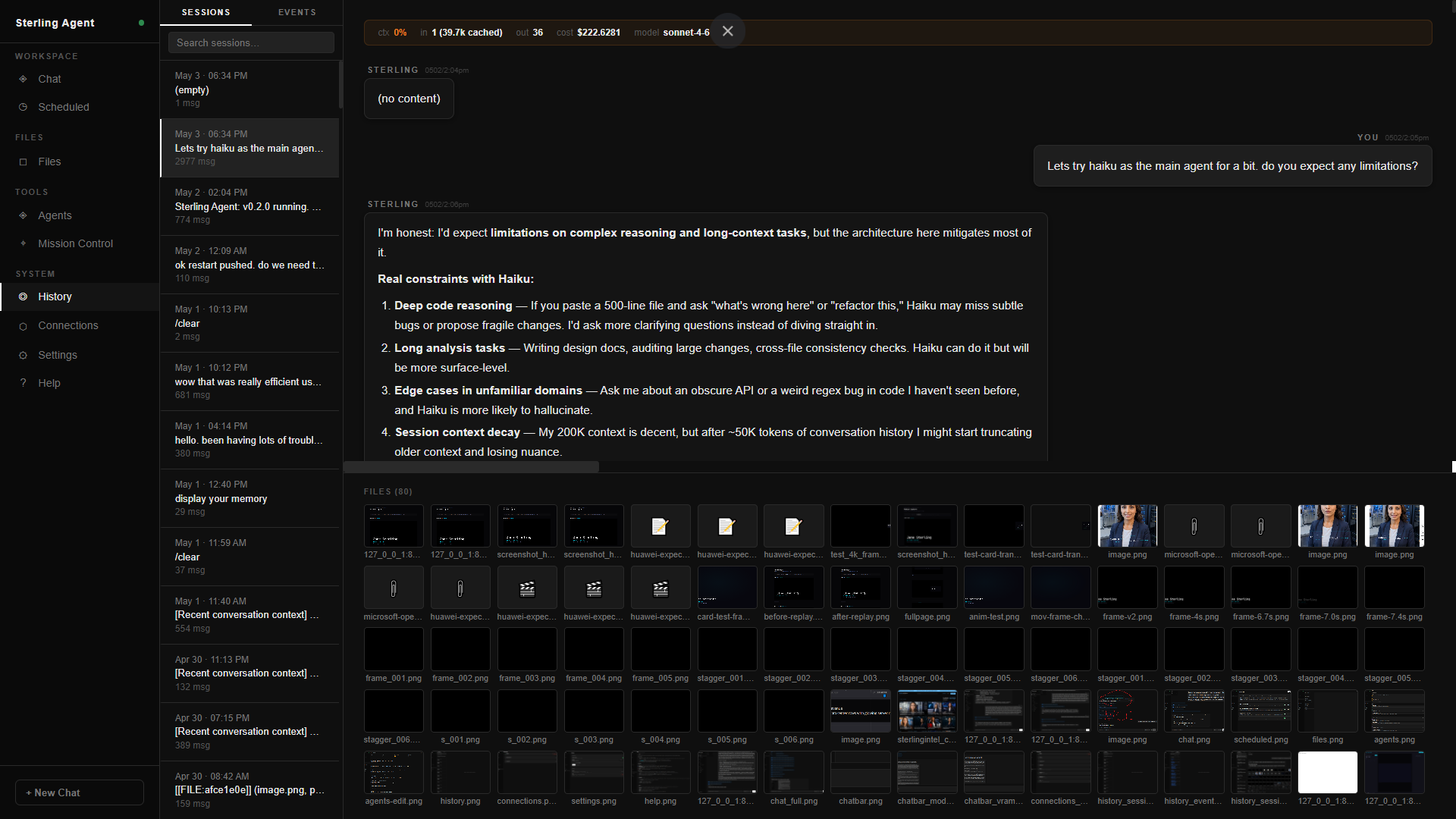
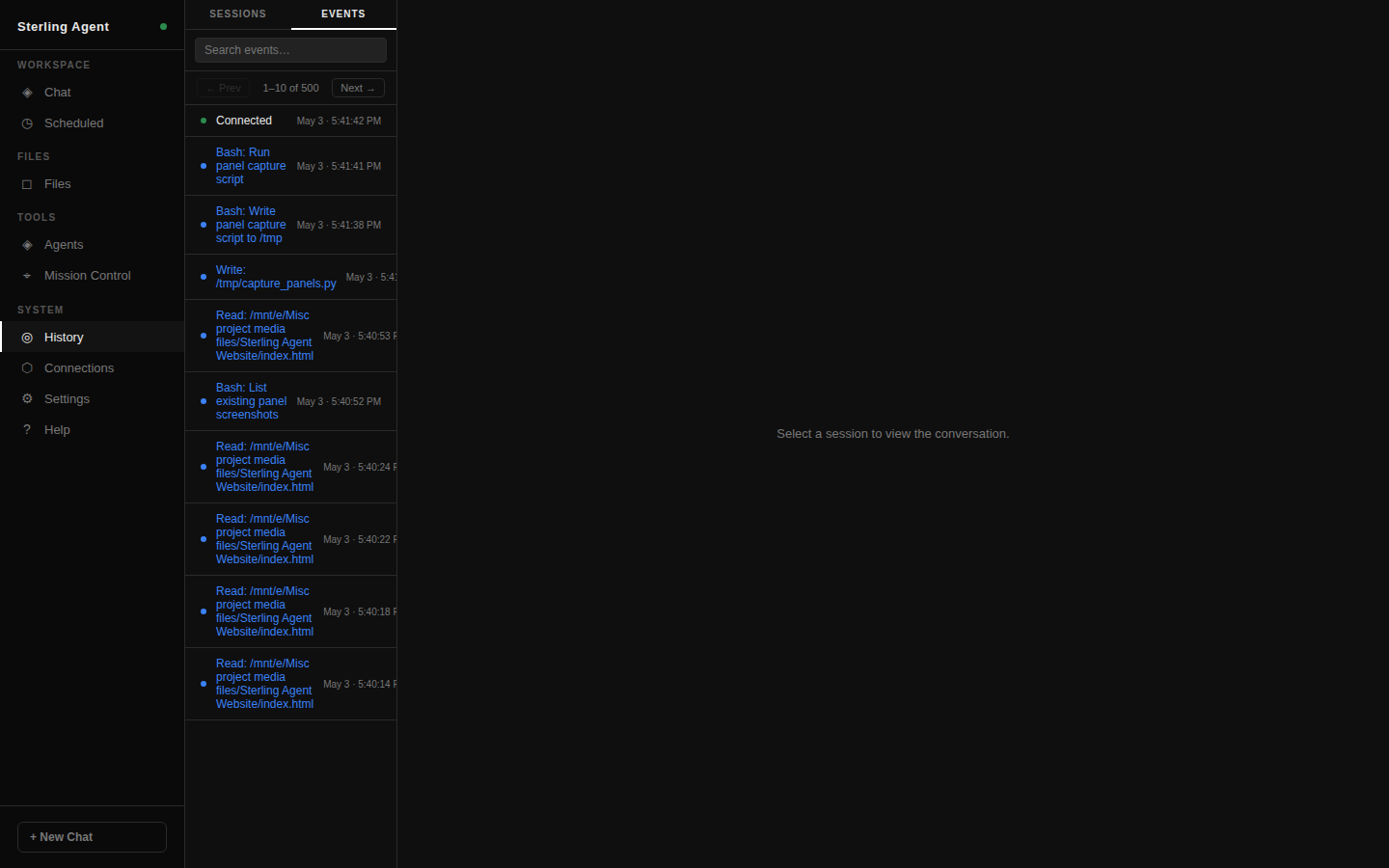
Full session history stored as per-session JSONL files. Sessions tab shows all conversations with search — heartbeat-only sessions collapse into their own group so the main list stays clean. Events tab is a paginated connection log with the page controls pinned above the list so they stay in the same position page to page. Reload any session to resume the Claude thread exactly.
Sessions — heartbeat grouping
Events — pagination pinned above log
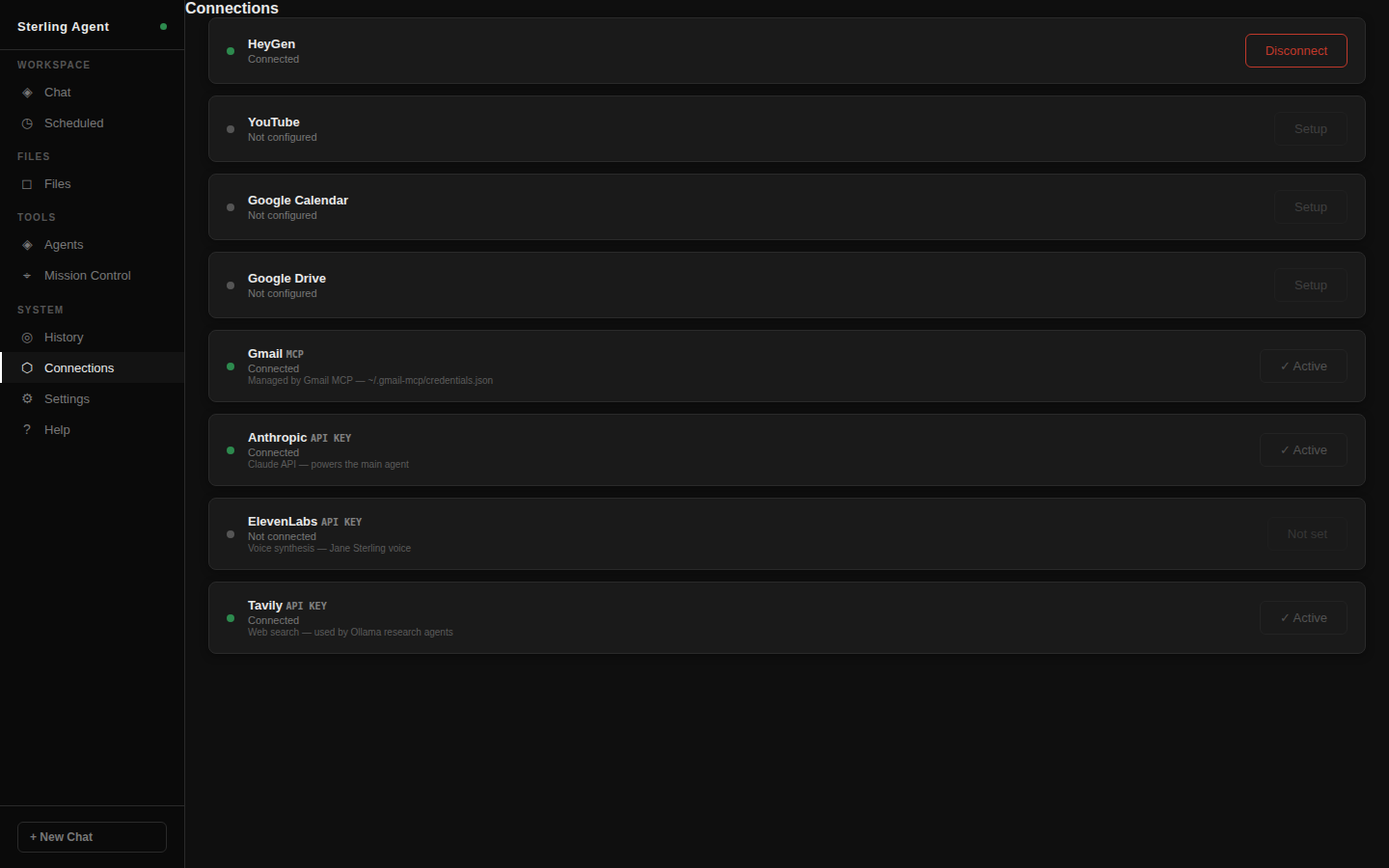
OAuth services (HeyGen, YouTube, Google), API-key services (Anthropic, ElevenLabs, Tavily), and MCP-managed services (Gmail) all tracked in one place. Three kinds of auth, one unified status view. Live connected/expired state per service, connect/disconnect toggle for OAuth flows, kind badge so you know what manages the credential. No credentials in config files.
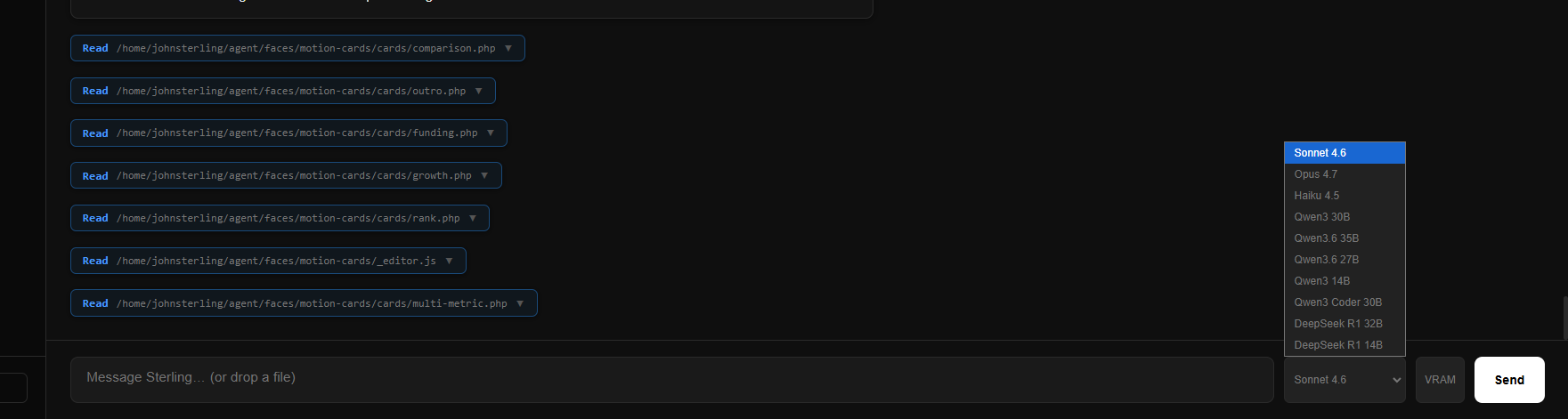
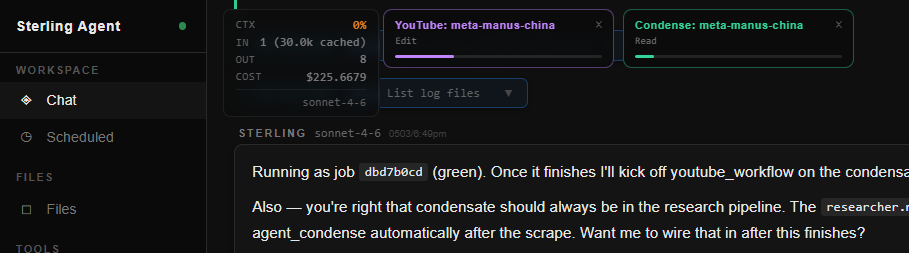
Model switcher, VRAM inspector, token cost tracker, and pipeline task watcher are all embedded in the chat input bar — always visible, never in a separate settings screen. Switch models mid-conversation, eject a loaded Ollama model from GPU, see live token cost and context %, and track running background pipelines with per-job PID tags — all from one bar.
Model selector
Token cost tracker · pipeline task watcher · PID tags
VRAM inspector + eject
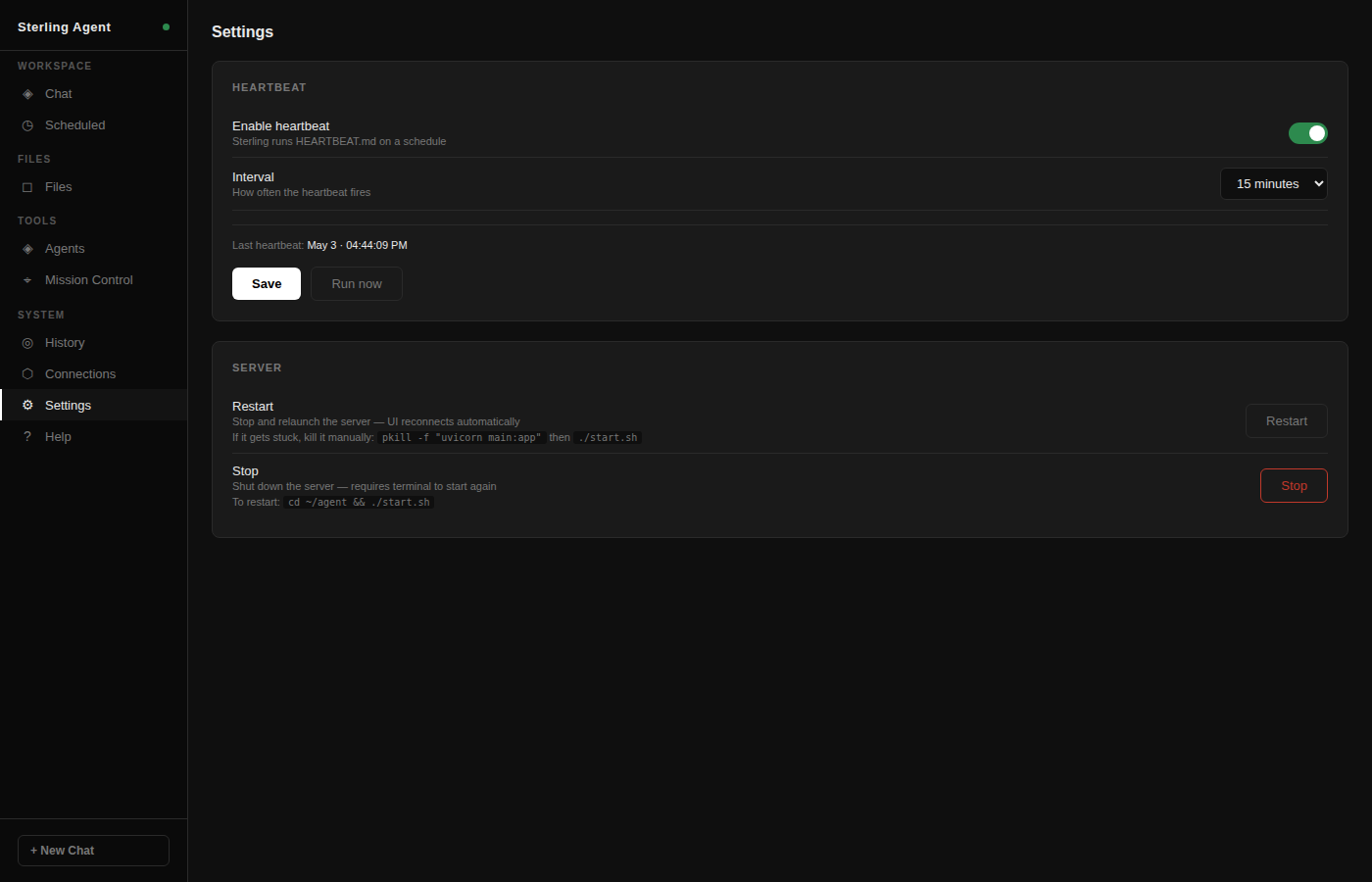
Model selection, heartbeat interval, and system preferences — all adjustable from the browser without touching config files or restarting the server. Settings persist in SQLite. The Mission Control section lets you start, stop, or restart the server itself from the UI. One button to bring everything back up if something goes sideways mid-session.
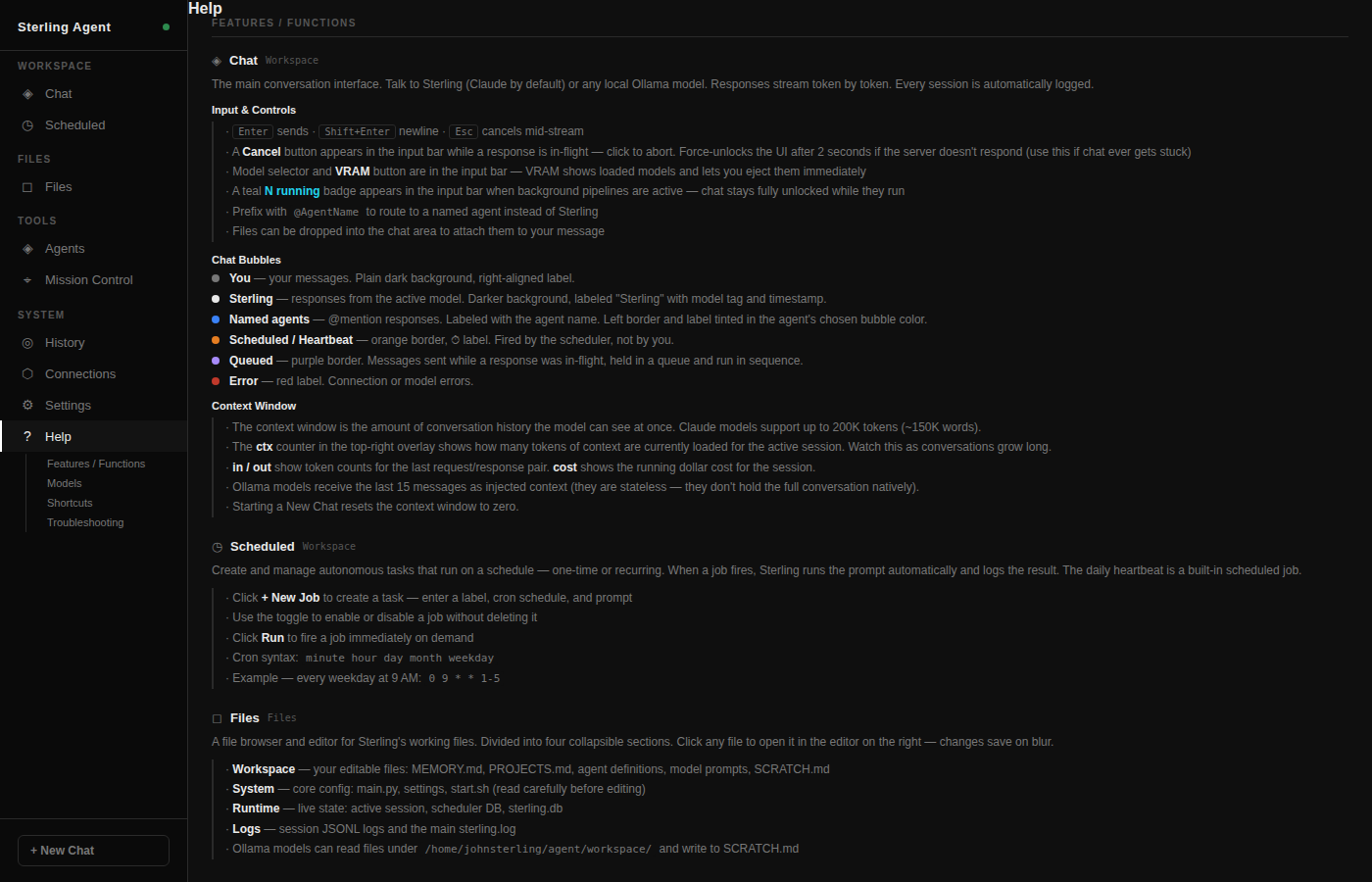
A full reference panel covering every feature, model, keyboard shortcut, and troubleshooting step — written and kept current as the system grows. The Features section walks through every panel. Models section groups Cloud and Local with tag pills. Shortcuts lists every keyboard action. Troubleshooting includes copy-ready commands for diagnosing common failures. Documentation that lives in the tool, not somewhere else.
Capabilities
From a single chat interface, Sterling can research, write, schedule, delegate, publish, and remember — all while keeping the conversation open.
Claude (via the Anthropic CLI) is the primary brain — the orchestrator that reasons, delegates, and drives long-horizon tasks. Local Ollama models (Qwen, DeepSeek, Llama Vision) handle agent subtasks where speed or cost matters. Both share the same streaming interface.
Every Claude session can be resumed. Long-term memory lives in editable workspace files — MEMORY.md, PROJECTS.md, SOUL.md — loaded fresh into every system prompt. Sterling remembers decisions, preferences, and project context across all conversations.
APScheduler runs cron-based jobs that fire prompts directly into Claude sessions. The heartbeat fires every 10 minutes in its own isolated session — reviewing memory, checking project state, surfacing reminders. Custom jobs scheduled from the UI persist across restarts.
Each agent is a Markdown file with YAML frontmatter — name, model, category, write directory, system prompt. @mention one in chat to invoke it interactively. Sterling invokes them programmatically for pipeline work. Agents can call other agents.
Long pipelines run in separate Claude sessions — the chat stays live while they work. Job output streams into the chat feed in real time, labeled and color-coded with a pulsing status dot. Sterling and Jayson can keep talking while the pipeline runs.
Research → scrub → script → production markup → titles → description → Shorts version → HeyGen scene prompt → thumbnail prompt → keywords → compile → proof. Every stage is a named agent. The full chain runs as a single orchestrated background workflow.
Scripts with [STATCARD] and [LOWER3] markup get parsed into animated HTML capture files. Playwright records each card to ProRes .mov for DaVinci Resolve import — stat cards, lower thirds, and outros with count-up animations and staggered reveals.
Playwright headless Chromium handles JS-rendered pages, Cloudflare-gated content, and soft paywalls. Tavily powers structured web search. Both are available as tools to any agent in the pipeline — deep research is the output, not just headlines.
Custom PKCE OAuth 2.0 handles external service auth. HeyGen is live — OAuth token stored in SQLite, status in the Connections panel. A video watcher polls the HeyGen API for completed recordings and downloads them automatically.
Uploaded images, captured frames, and generated files get 8-char hex IDs. The [[FILE:id]] system renders them inline in chat. Agent write directories are controlled per-agent — research, pipeline output, scripts, and code stay separated.
YouTube production workflow — full agent sequence
Full feature reference
Technical breakdown by category. Built incrementally — every item here was added because the work demanded it.
Cloud — Anthropic API
Local — Ollama on NVIDIA Titan RTX 24GB VRAM
All loaded agents
Always evolving
This is not a product with a release cycle. It is a breathing workspace. When something breaks, it gets fixed on the spot — in the same interface, mid-conversation, with Sterling diagnosing and implementing the fix while Jayson watches the diff land. No ticket filed. No sprint planned. Fixed.
New features get implemented the moment they are needed. Background pipelines exist because blocking the chat during a research job was annoying — so they got built. The motion graphics pipeline exists because a video needed stat cards and there was no better path — so it got built. The architecture is the residue of actual use, not planning.
The system operates with as much or as little autonomy as Jayson wants. Fully supervised, one message at a time — or handed a goal and left to run overnight while the scheduler manages the pipeline. Sterling knows when to ask and when to just do it.
It finds its own limits and grows around them. The 64KB stdout crash got hit in a real session and fixed before the next one. The snowballing session log hit 197MB and got capped the same day. Every rough edge sharpened by use, not by audit.
It is not a product. It is an extension of how one person thinks and works. The goal was never feature completeness. It was fit — a system that matches the shape of the work so precisely that using it stops feeling like using a tool at all.
Build philosophy
Sterling Agent has no product team, no roadmap, and no users besides Jayson. Every feature in it exists because real work demanded it — not because it seemed like a good idea in the abstract, not because a framework made it easy, not because someone filed a feature request. The heartbeat runs because autonomous memory review turned out to matter. Background pipelines exist because blocking the chat while a research job ran was annoying. The motion graphics pipeline exists because a YouTube production needed stat cards and there was no better way to get them.
The agent system grew the same way. One model was never enough — different tasks need different strengths. The pipeline chaining patterns emerged from actually running the YouTube workflow end-to-end and discovering which handoffs worked. The bugs that got fixed are the ones that broke real sessions — the 64KB stdout limit, the snowballing session logs, the model tag showing "synthetic" after a refresh. The architecture is the residue of real use.
This isn't a product. It's infrastructure for one person who needed something that could think alongside them, remember what matters, and do the work when asked. That's what it does.